
DWV Pro
Size drain, waste and vent pipe from fixture units.
Free on the web: DWV pipe size calculator, the same math in your browser.
Free on the web: Drain slope and fall calculator, the slope and fall math in your browser.
Published on the App Store: Ask Donnie, DWV Pro, AlarmAmps, TandemIQ, LensWright, Dandelion, Wingman Protocol: Dating Coach, TenantTrail, Paycheck Planner, PomodoroPal, Heavy Pour.
What it does
DWV Pro is for plumbers and inspectors who size drain, waste and vent piping on the job. You tally the fixtures, and the app gives you drainage fixture units, minimum drain and vent sizes, and slope and fall based on IPC tables. It works offline, with no login.
Made for: Plumbers, plumbing apprentices and inspectors
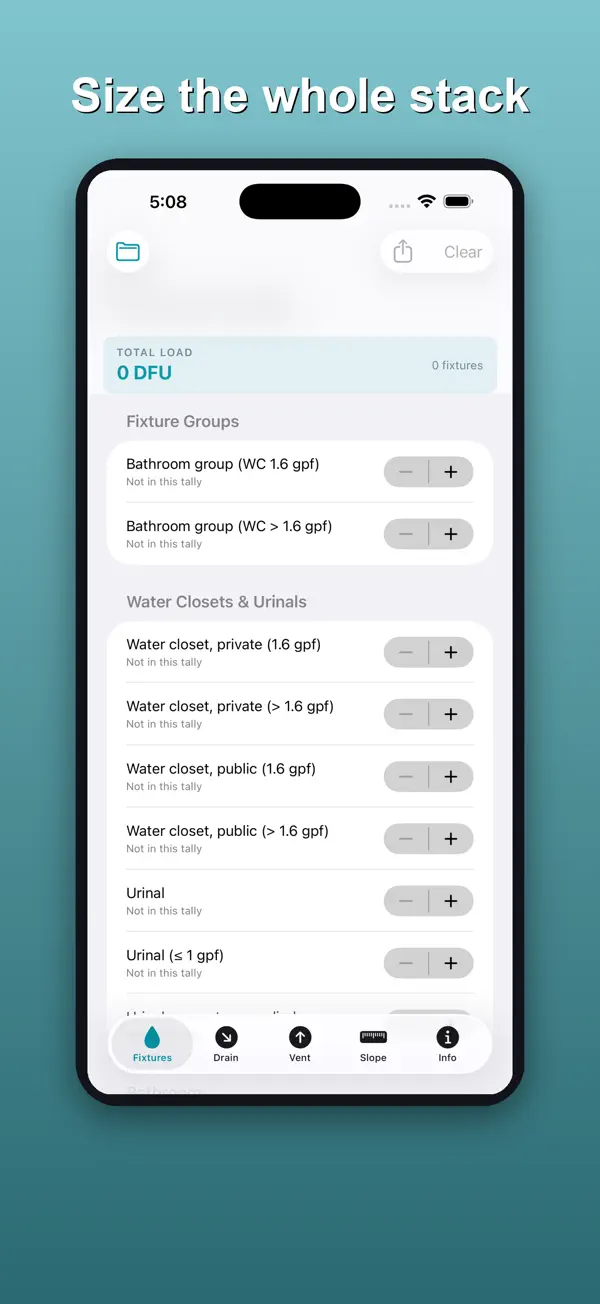
Fixture unit tally
Add fixtures from IPC Table 709.1 and see each one's DFU load and the running total.
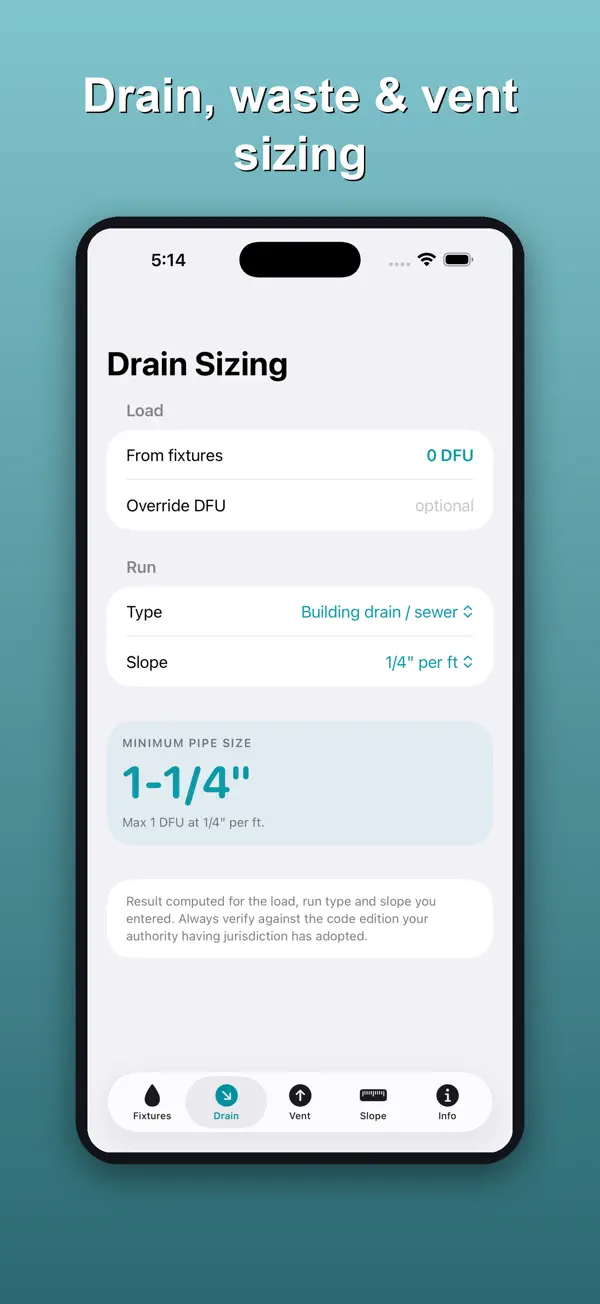
Drain sizing
Get the minimum pipe size for a building drain or sewer, a horizontal branch or a stack. A building drain serving a water closet is held to the 3-inch minimum.
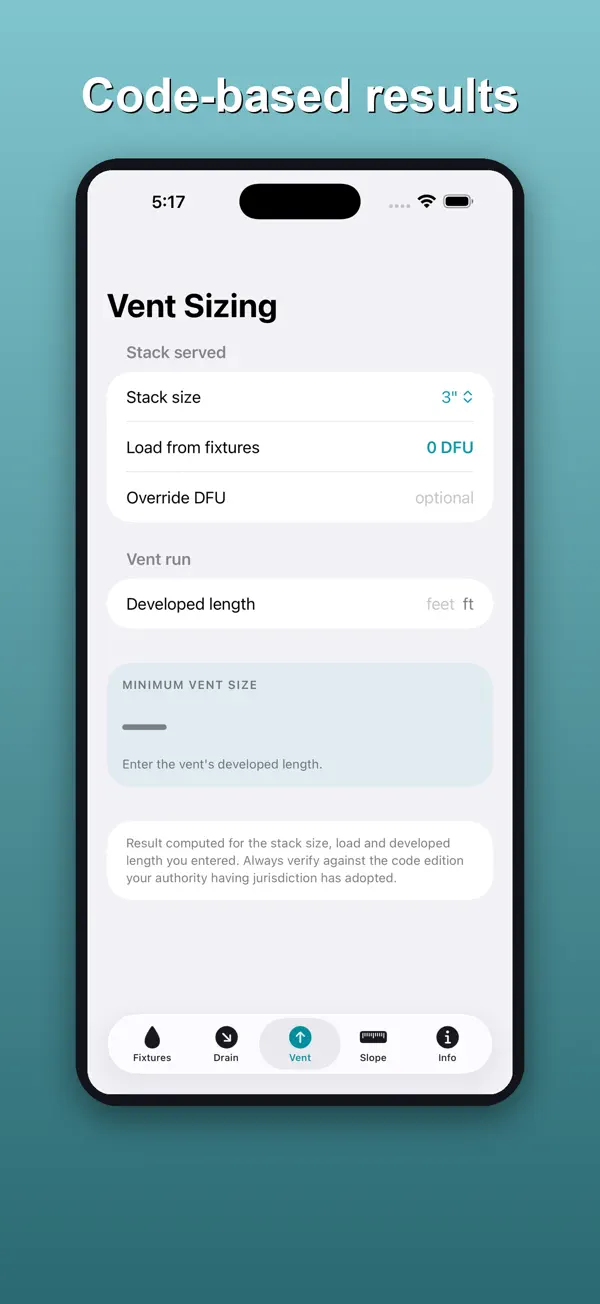
Vent sizing
Find the minimum vent size from the stack size, the load and the developed length.
Slope, fall and invert
Pick a nominal size and slope, enter the run length and an optional upstream invert, and get the total fall.
Saved projects and PDF summary
Save a load as a named project and share a PDF sizing summary.
Works offline
Everything runs on your device, so it works in a crawlspace with no signal.
How it works
The main job, step by step, using the app's own screen labels.
Build the fixture load
On the Fixtures tab, add the fixtures on the job and watch the TOTAL LOAD in DFU.
Size the drain
On the Drain tab, choose the Type of run and the Slope to see the minimum pipe size for that load.
Size the vent
On the Vent tab, set the stack size and developed length to get the minimum vent size.
Check slope and fall
On the Slope tab, enter the run length to see the fall, then save the project or export the Summary PDF.
Price
Paid app with a one-time unlock
- App download: $7.99
- Vent & Slope unlock: $4.99 one-time
Purchases are billed by Apple through your App Store account and covered by our refund policy.
Privacy and support
Nothing leaves your phone: the app collects no data, has no account and makes no network requests.
Questions
How much does it cost?
DWV Pro is a $7.99 paid download. The fixture tally and drain sizing are included. Vent & Slope is a one-time $4.99 in-app purchase that adds vent sizing, slope, fall and invert elevations, saved projects and the PDF sizing summary. Neither is a subscription.
Which code is it based on?
The values come from commonly adopted International Plumbing Code tables. DWV Pro is not affiliated with or endorsed by the ICC. Always verify against the code edition your authority having jurisdiction has adopted.
Does it need a signal?
No. The app has no network code and works fully offline.
Does it collect my data?
No. There is no account, analytics or tracking, and your projects stay on your iPhone.
 DWV Pro, $7.99 on the App Store
More tools for the trades
-

Ask Donnie
Itemized construction estimates and cited building-code answers from Ask Donnie (AI software).
-

AlarmAmps
Fire alarm battery and NAC voltage drop calcs on your phone.
-

TandemIQ
Which way to slide the tandems, and how many holes.
-

LensWright
Optician math: transposition, vertex, prism and thickness.
Ask Donnie Takeoff Estimator drafts itemized estimates for contractors. Check the numbers before you build.